


Lists allow you to vertically group and easily reorder cards.
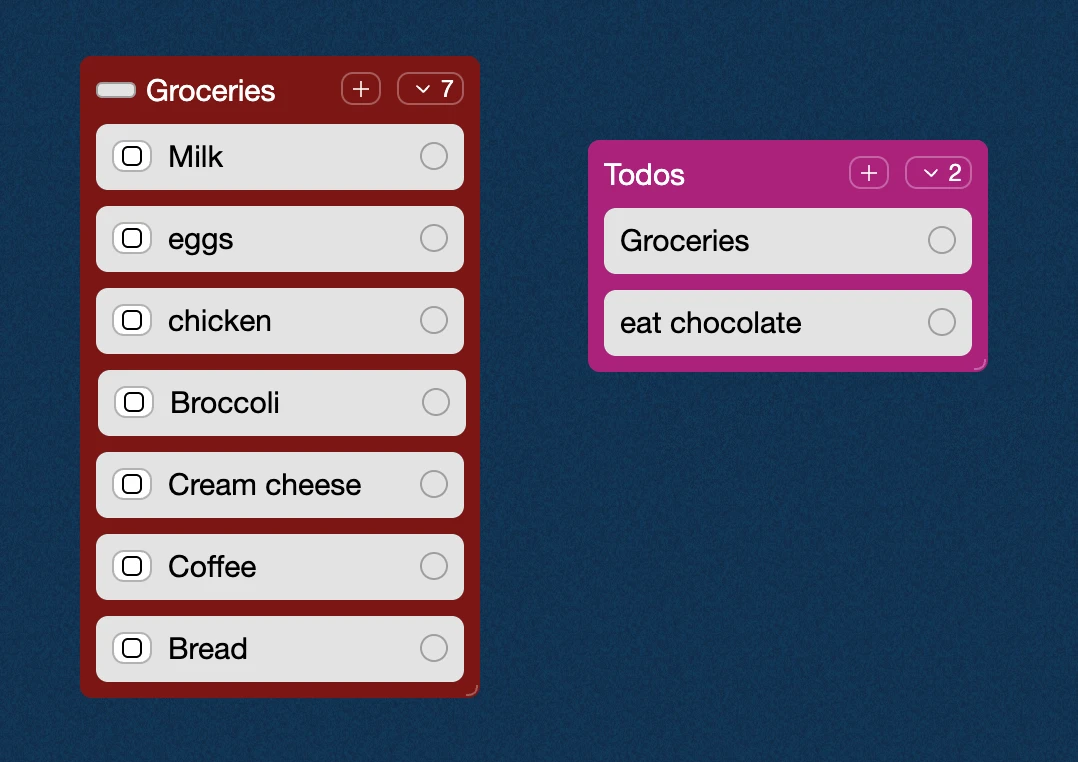
They allow you to add more rigid structures like Kanban-style project management and task tracking in the same spaces that you used to figure out the plan. Kinopio spaces with Lists allow you to keep contributors aligned not only with “what we need to do”, but also with “why we’re doing this”.
List cards can be drag to reorder, or drag them away from the list to remove them from the list.
Just like boxes, List names are optional, so it’s totally okay to have a List without a name.
Creating Lists
There are two ways you can create a list:
Use the Lists toolbar icon (L) then click and drag to draw an empty list:
Paint select multiple cards and click the List icon:
Collapsing Lists
You can hide/show the contents of lists by expanding them with the arrow button. Collapsed lists can be dragged around and expanded again wherever you’d like.
Task Lists
If one or more cards in the list are todo cards then a progress meter will appear on the card. As you check off todos, the meter and the todos remaining count will update.