'%3e%3ccircle%20cx='3.5'%20cy='3.5'%20r='3.5'%20stroke-linecap='square'/%3e%3cpath%20stroke-linecap='round'%20d='M6.5%206.5l3%203'/%3e%3c/g%3e%3c/svg%3e)
 All Topics
Sharing, Collaborating, and Privacy
If you haven’t made an account
If you haven’t signed up yet, then only you can see what you make regardless of privacy setting.
If you are signed up
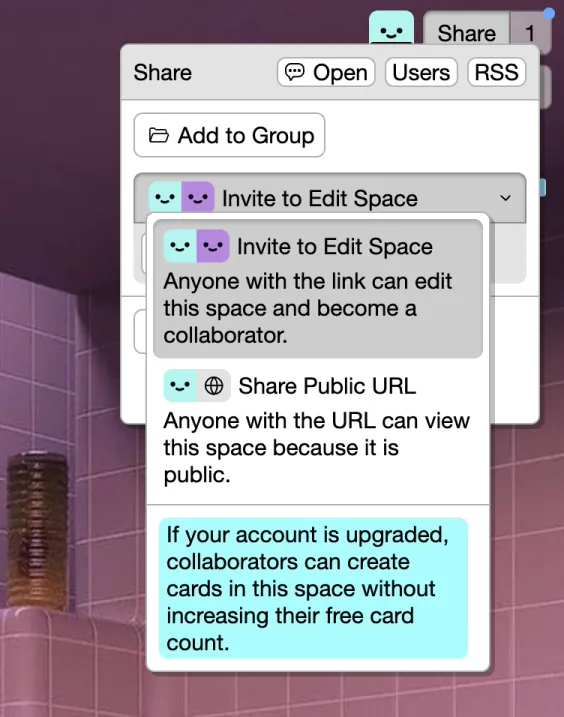
Change space privacy, share space URLs, and invite collaborators from Share in the top left.
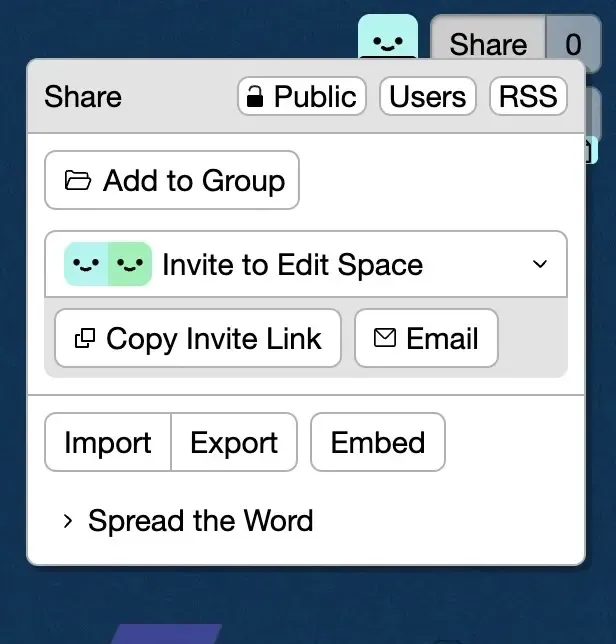
Privacy
Space privacy can be either open, closed, or private (default)
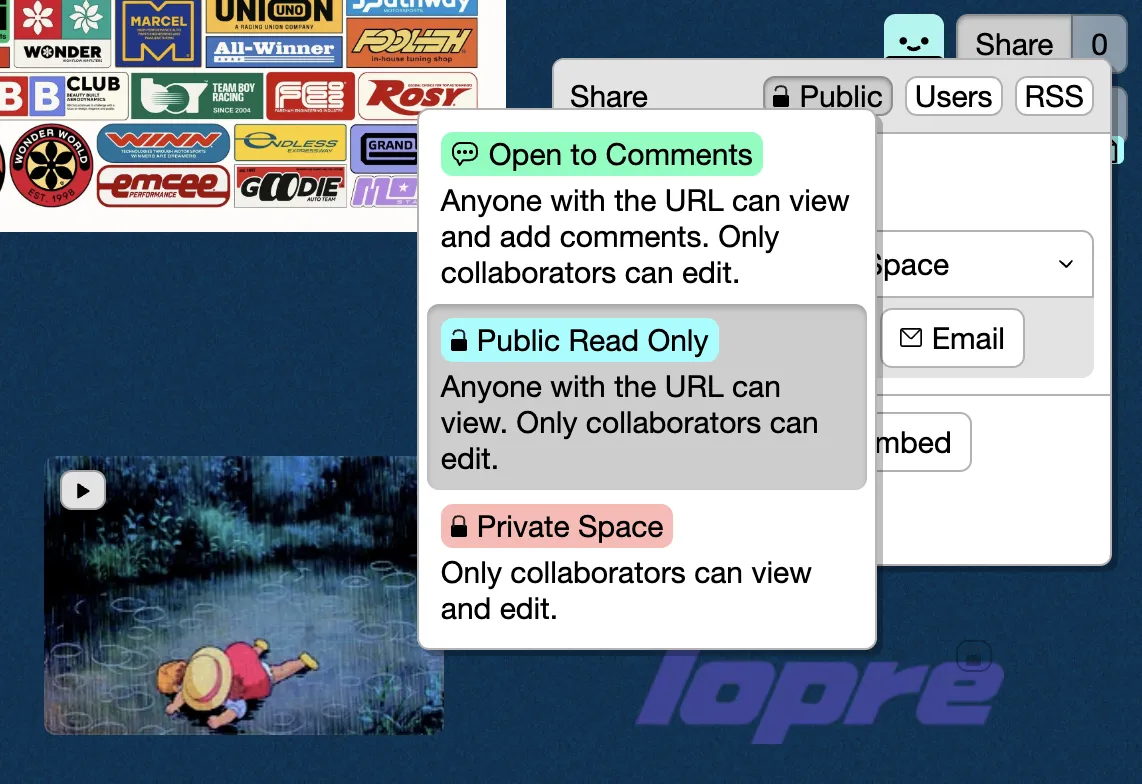
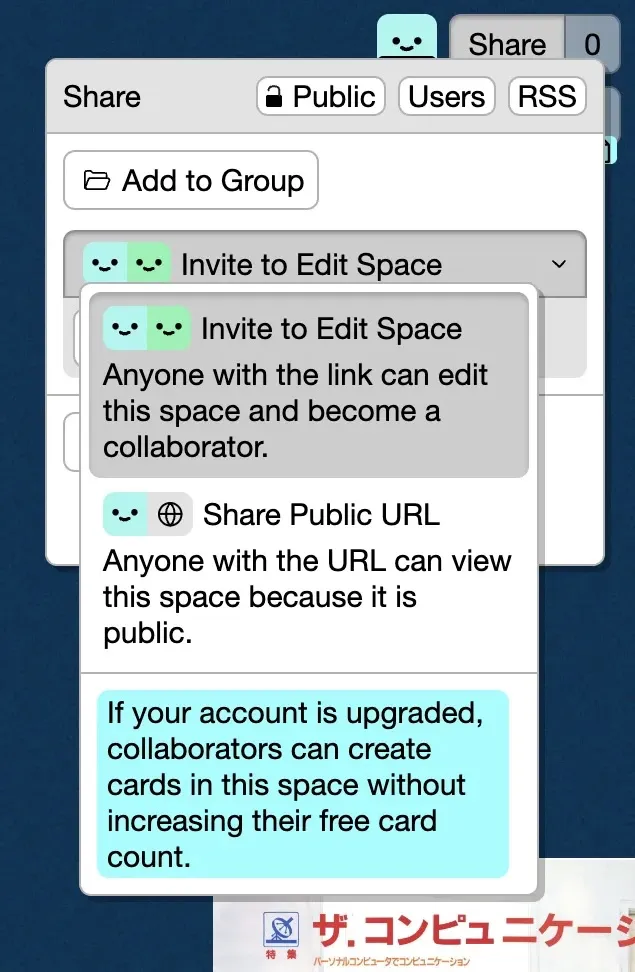
Depending on the space’s privacy setting, and whether the space is in a group, you’ll have different options to share a space for editing or to read-only.
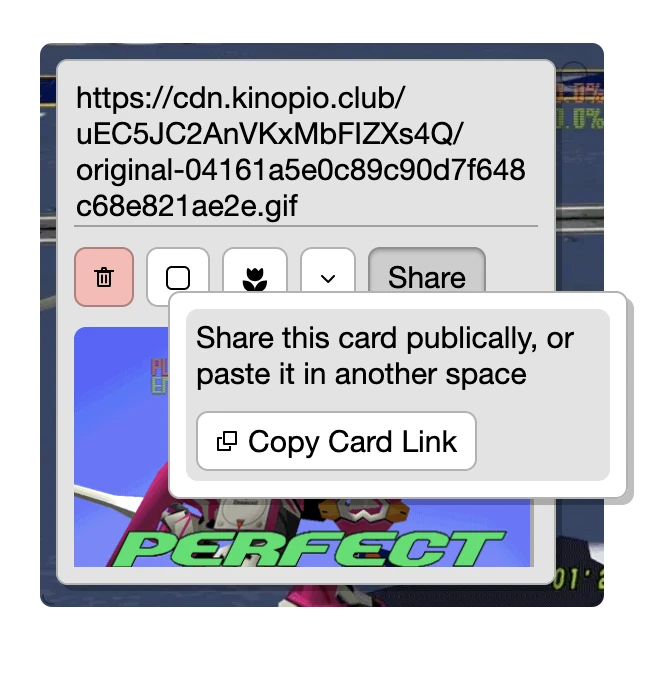
Card Links
You can also reference specific cards via Card → Share. This URL will open the space, scroll to the card, and highlight it.
Collaborating
You can collaborate with others by sending them an invite link, or by adding the space to a shared group.
When collaborating with others you’ll see their cursors, paint strokes, and other actions in real time. Here’s an example by the School For Poetic Computation (SFPC).
Invite Collaborators to give them edit access to the contents of your space. Inviting is especially useful for working together on Private spaces, but you can do it with any privacy setting.
You should think of collaborators as people you fully trust because they’ll be able to edit and remove almost everything in a space.
If collaborating with people you don’t know or fully trust, consider changing your space privacy to
Openand sharing the read-only URL instead. That way others will only be able to add and edit the cards that they’ve created.
How to Invite
Send someone a collaborator invite by copying the URL found in Spaces → Invite …
Collaborators can
- Create, move, remove and edit all cards and connections
- Invite other collaborators
- Remove other collaborators
But collaborators cannot
- Remove the space
- Rename the space
- Remove the creator of the space from it